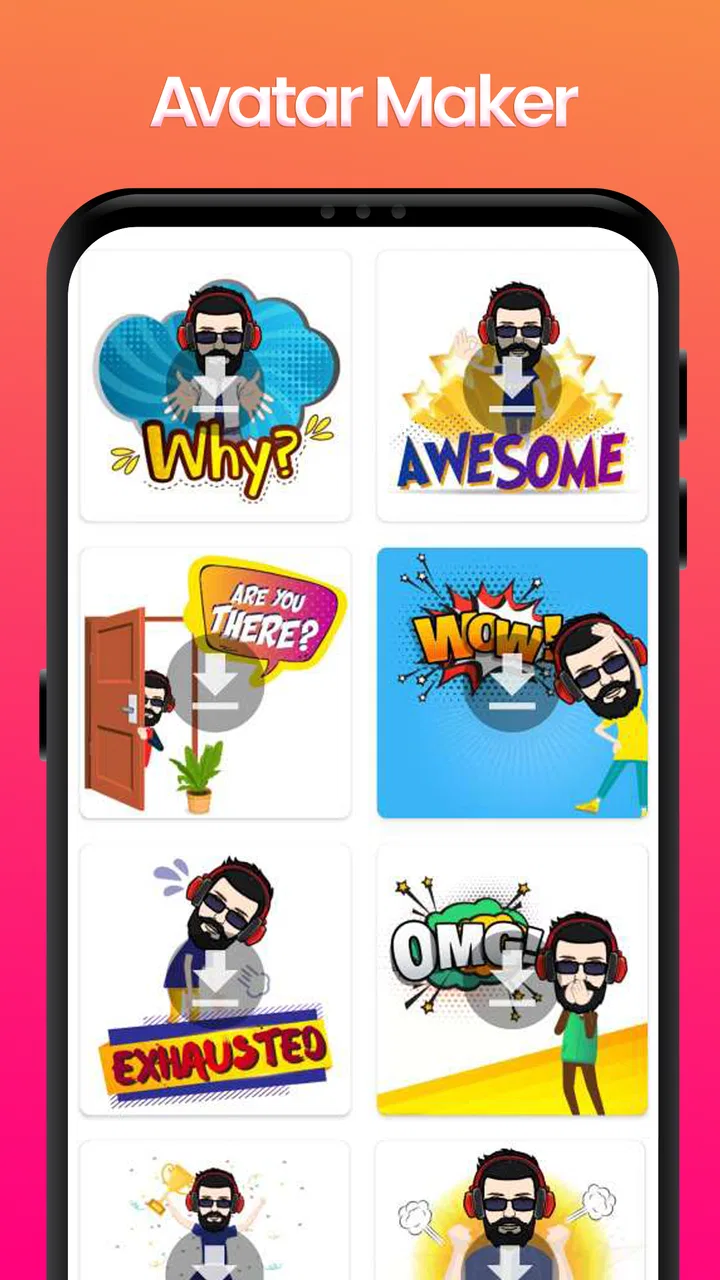
Avatar Maker - Avatar Creator
- 3.4
- Rating
- 50.00K
- Installs
- Free
- Price

 Analysis by App-foxy
When I tried Avatar Maker - Avatar Creator, I approached it as a small creative tool rather than a full social platform or illustration studio. Its purpose is straightforward: help you build a personal cartoon-style avatar, then give you something recognizable to use in places where a profile image, character, or playful identity works better than a photograph. That narrow purpose is also its main appeal. I could open it without needing to learn a complicated editor, and the experience felt aimed at quick experimentation rather than serious digital art.
This is a free comics app from Crazy Apps Zone, available for Android devices running version 8.0 or later. It is rated for Everyone, which fits the simple, non-violent character-creation concept. The app has reached over fifty thousand installs and holds an average of 3.4 from a little over a hundred ratings, so it has attracted a modest audience but not the kind of broad consensus associated with the biggest avatar platforms. I would treat that rating as a useful signal to keep expectations realistic: the idea is accessible, but the finish and flexibility may not satisfy every user.
Getting oriented without a steep learning curve
The first thing I value in an avatar editor is whether I can understand the basic workflow immediately. Avatar Maker presents itself as a focused creation experience, and that focus matters for people who do not want to navigate a large drawing application. Instead of asking you to understand layers, brushes, canvas dimensions, or complex menus, the concept is built around making choices and watching the character take shape.
You May Also Like

 Blood Strike: 2.5 Anniversary
Blood Strike’s Loadouts Turn Every Drop Into a Tactical Gamble
A close look at Blood Strike’s custom loadouts: how fast access to signature weapons reshapes its battle royale rhythm, rewards preparation, and narrows the gap between fights.

 Pandora - Music & Podcasts
Pandora’s Music Is Easy to Start, but Harder to Recover
Pandora’s strength is its low-effort path from a seed to a station. Its weak spot is how much confidence it asks you to place in connection, setup, and quiet recovery.

 8 Ball Pool
 Is Built on Rivalries, Rematches, and Routine
A close look at the rivalries, rematches, shared routines, and unanswered safety questions that turn a quick pool match into a persistent mobile community.

 Samsung Music
’s Quiet Strength Is Playing What You Already Own
Its reach comes less from spectacle than from dependable access to a personal library. That simplicity is both the app’s strongest retention engine and its ceiling.

 AccuWeather: Weather Radar
AccuWeather Review: A Quick, Clear Forecast for Everyday Decisions
For everyday plans, the best forecast is the one you can understand quickly. AccuWeather makes rain timing, radar, and local conditions easy to act on, with a few trade-offs.

 Hill Climb Racing
Why Hill Climb Racing Still Turns Crashes Into One More Run
A tiny car, a bumpy hill and one more upgrade: Hill Climb Racing keeps resurfacing because its simple chaos makes every near-miss feel personal.
More From Our News Desk



That approach can be especially helpful for a first-time creator, a child using the app with an adult nearby, or anyone who finds professional art interfaces intimidating. The visual goal is easy to understand: change the character until it feels like you. I found that this kind of direct feedback reduces the mental effort involved in learning the tool. You do not need to know how illustration software works before you can begin.
Readability is not only about large text. It also depends on whether controls have a clear purpose and whether the screen avoids unnecessary distractions. A compact avatar editor has an advantage here because the task itself is limited. You are not sorting through a social feed, managing messages, and designing a character at the same time. For someone who becomes overwhelmed by busy apps, a single-purpose tool can feel calmer than an all-in-one avatar network.
Still, a simple idea does not automatically guarantee perfect navigation for every person. Avatar creation often involves moving through several visual choices, and users who have difficulty remembering which option they selected may need to pause and inspect the character carefully. I recommend making changes one at a time, especially when you are trying to build a consistent look. That makes it easier to notice what changed and undo a choice mentally if the result is not right.
A practical workflow is to start with the broad identity of the character before worrying about small details. Decide whether the avatar should look friendly, serious, colorful, or understated. Then refine the appearance. This prevents the common problem of spending time on minor elements before knowing whether the overall character feels right. It is also a useful strategy for users who tire quickly when presented with many visual decisions.
Who benefits from the visual creation style
The app is best suited to people who want a personal image with a comic feel but do not have drawing skills. I can see it working well for a messaging profile, a casual online identity, a classroom activity, or a quick character concept for a story. It may also be useful for someone who prefers not to upload a real photograph. A stylized avatar gives a little privacy while still allowing other people to recognize the account.
For children, the appeal is obvious: they can make a character that represents them without needing to draw every line by hand. The Everyone age rating makes the concept suitable for a broad audience, although an adult should still decide whether the device and sharing habits are appropriate in a particular family. The app itself is not a replacement for guidance about where a finished image should be posted.
It can also help adults who want a low-pressure creative break. I would not describe the experience as a full art lesson, but it gives you a contained activity with a visible result. Someone who feels blocked when facing a blank drawing canvas may find a guided avatar format much easier. The choices provide structure, while the personal decisions keep the result from feeling completely generic.
There is a useful distinction between making an avatar for yourself and making one for communication. If the image is going to represent you in a work-related setting, a restrained design may be more effective than an exaggerated one. If it is for a private chat or a hobby community, you can be more expressive. Thinking about the destination first helps you avoid creating an image that looks fun in the editor but does not fit the context where you plan to use it.
Motor comfort and the demands of small controls
Avatar editors can be more approachable than drawing apps for people with limited drawing confidence, but they still involve repeated taps, visual selection, and sometimes precise contact with the screen. That distinction is important. You are not required to control a brush continuously, which removes one major motor challenge, yet you may still need to select among nearby choices or move back and forth while comparing details.
If tapping small interface elements is tiring or unreliable, I would use the app in short sessions rather than trying to finish a perfect character in one sitting. There is no benefit in rushing through every option. A staged process works better: establish the main appearance, take a break, then return for refinements. This is not just a comfort tip; it can improve the final result because fatigue often leads to accidental selections and less patient comparison.
Users with tremors or reduced fine-motor control may find a choice-based creator easier than a freehand drawing tool, but the experience will still depend on how forgiving the controls feel on their particular device. A larger phone or tablet may make visual inspection more comfortable, while a smaller screen can make detailed choices feel cramped. I would test the basic navigation before investing time in a highly specific design.
One advantage of this type of app is that the creative task does not require constant hand movement across a large canvas. That can make it less demanding than sketching, coloring, or manually tracing a portrait. The trade-off is that you have less direct control over the exact shape of the final image. If your priority is precise hand-drawn expression, a conventional illustration app remains the better choice.
For users who rely on alternative input methods, the most important question is whether the device can reliably activate the visible controls. I would not assume that every control has been optimized for switch access, screen readers, voice control, or other assistive technologies. The app may still be usable in some setups, but the experience is likely to depend on the operating system and the individual device. That is a reason to try the initial creation flow before planning to use it as a central identity tool.
Visual and sensory considerations
The visual nature of Avatar Maker is both its strength and its main accessibility consideration. The result is immediate and rewarding because you can see the character change, but users with low vision may need stronger device-level magnification, a larger display, or a comfortable viewing distance. If the interface relies heavily on visual previews rather than descriptive labels, people who cannot easily distinguish small changes may have to spend more time checking each selection.
Color can also affect the experience. Avatar design commonly involves comparing shades, clothing, hair, or other visual details, and users with color-vision differences may not experience those choices in the same way as other users. A helpful personal strategy is to judge the character by its overall shape and contrast first, then use color as a secondary refinement. That keeps the design from depending entirely on subtle shade differences.
People who are sensitive to motion, rapid transitions, or visually busy screens may prefer a slower, more deliberate workflow. I would avoid changing many elements quickly and would pause if the interface begins to feel tiring. The app is more enjoyable when treated as a quiet design task rather than a speed challenge. That also makes it easier to create an avatar that looks intentional instead of assembled at random.
For users with cognitive disabilities, the clear end goal can be reassuring, but open-ended choice can still become tiring. A useful method is to set a small brief before starting: choose a simple hairstyle, one main color, and an expression that matches the intended use. Limiting the decision space gives the process a beginning, middle, and end. It also helps families or educators turn the app into a structured activity instead of leaving a user alone with too many possibilities.
Using an avatar in everyday situations
Imagine that I want a new profile image for a group chat but do not want to use a photograph. I could open the app during a short break, create a character with a familiar style, and use that image as a visual identity for the conversation. The key benefit is not artistic complexity; it is the ability to produce something personal without setting up a camera, editing a portrait, or learning a professional program.
Another realistic use is preparing several character ideas for a writing project. I might create one avatar to represent the tone of a fictional narrator, then make a different design for a contrasting personality. The app would not replace a character-design suite, but it could help me think visually before writing descriptions. That makes it useful as a brainstorming aid, particularly when I want a quick starting point rather than a polished illustration.
It may also suit a parent and child working together. One person can describe a character while the other chooses the visible elements, creating an easy conversation about appearance, identity, and personal preference. For a child who struggles with a blank page, the guided format can provide a first success. I would keep the activity collaborative if the finished avatar is going to be shared publicly, since the creative decision and the privacy decision are separate matters.
In a classroom or club, the app could support a short identity exercise: students make a character that represents a hobby, mood, or fictional role, then explain their choices. The value comes from discussion rather than from the app alone. It can give participants a common visual starting point, while still allowing different levels of creativity. However, it is less suitable if the assignment requires detailed anatomy, original drawing, or precise cultural representation.
Situational access also depends on attention and environment. On a crowded bus, in a noisy waiting room, or during a short break, a focused editor may be easier to use than an app that demands a long uninterrupted session. On the other hand, a user who needs to inspect tiny details may find those settings uncomfortable. I would treat it as a flexible short-session tool, not something that requires constant concentration for a long period.
Where it falls short beside familiar alternatives
The usual alternatives fall into two groups. On one side are profile and social apps with built-in avatar systems; on the other are drawing and illustration tools that let you create everything from scratch. Avatar Maker sits between them. It is more focused than a drawing application and potentially more personal than a preset profile icon, but it may not offer the community features of a social platform or the precision of a serious art editor.
If your priority is speed and low effort, this focused approach is a sensible advantage. You do not need to draw a face, learn a brush engine, or construct every visual element manually. If your priority is originality at the pixel level, the limitations become more noticeable. A guided creator can help you reach a pleasing result quickly, but it may not let you express an unusual pose, exact facial detail, or a highly specific visual identity.
Compared with a social platform’s avatar system, a separate comics app may feel less connected to the place where you intend to use the image. You may need to handle the finished result yourself rather than creating it directly inside a profile editor. That extra step is minor for occasional use, but it matters if you want an avatar that updates automatically across several services.
Compared with a full illustration app, the trade-off is easier to explain: less technical control in exchange for a gentler starting point. I would choose this app for a quick cartoon identity, a playful experiment, or a simple creative prompt. I would skip it for professional branding, detailed concept art, animation planning, or any project where exact export control and extensive editing are central.
Practical expectations before installing
The app is free, which lowers the barrier to trying it. That makes sense for a tool whose usefulness depends heavily on whether its visual style matches your taste. I would install it with a specific goal rather than expecting an endless creative platform. For example, decide whether you need one profile image, a character for a story idea, or a short activity for a child. A clear purpose makes it easier to judge the result fairly.
It runs on Android 8.0 and newer, so users with older devices should check compatibility before planning around it. The current version is 1.0.8, and the product comes from Crazy Apps Zone. Those details are worth noting because a device can meet the basic operating-system requirement yet still make small visual work uncomfortable due to screen size, performance, or input behavior.
I would also think about the final image before starting. If it will be used as a tiny profile picture, prioritize a clear silhouette and strong contrast rather than subtle details that disappear when reduced. If it will be shown at a larger size, you can spend more time on visual nuance. This simple decision changes how you should design the character and prevents disappointment when a detailed avatar becomes unreadable as a small icon.
Another useful habit is to create a recognizable anchor. That might be a consistent hairstyle, a distinctive color, or a particular expression. One strong identifying feature often works better than adding many competing details. This is especially helpful for users with visual or cognitive constraints because the avatar becomes easier to recognize at a glance.
Remaining barriers and the right audience
The biggest barrier is that the app’s value depends on visual interaction. People who need rich spoken descriptions, extensive keyboard control, or highly customizable accessibility settings may find a dedicated accessible design tool more appropriate. I would not choose it as the only option for someone who cannot comfortably inspect visual changes or activate small controls on a touchscreen.
There is also a creative ceiling. A user may enjoy the first few designs and then want more control than a guided avatar maker can provide. That is not a flaw in the basic concept, but it is an important trade-off. The app is strongest at helping you reach a usable, playful result quickly. It is weaker when the project demands a completely original drawing language or a carefully art-directed character.
Some people may also prefer an avatar system integrated into the service where the image will be used. That option can reduce handling and make the profile update more direct. A separate creator is more appealing when you want to reuse the same character in different contexts or keep the design process independent from a social network.
Finally, the modest average rating of 3.4 suggests that this is not a universally satisfying experience. I would not interpret that as a reason to dismiss it, because a simple avatar tool can be useful even without broad popularity. I would interpret it as a reminder to keep expectations proportionate: try it for its focused purpose, and move to a more specialized alternative if its level of control or navigation does not suit you.
A fair, inclusive verdict
My overall impression is that Avatar Maker is a friendly entry point for creating a comic-style identity without the pressure of drawing from scratch. Its strongest quality is the clear, approachable idea: choose a character’s appearance, make it feel personal, and use the result where a playful image is more suitable than a photograph. The free price and Everyone rating make experimentation easy, while support for Android 8.0 and later keeps it available to users on a range of devices.
I especially recommend it to casual creators, families looking for a simple shared activity, writers who need quick visual prompts, and people who want a low-effort profile image. I would approach it carefully if you need extensive assistive controls, detailed descriptions, precise illustration tools, or a seamless social-profile workflow. In those cases, a dedicated drawing app, an accessibility-focused creative tool, or an avatar system built into your target service may serve you better.
The best reason to try it is not the promise of limitless customization, but the chance to make a recognizable character with relatively little creative friction. Use a large enough screen, work in short sessions, design for the size at which the avatar will actually appear, and give yourself a clear visual goal. With those expectations, this comics app can be a pleasant and practical little creator rather than something asked to do far more than its focused format is designed for.
For me, that makes it worth trying when I want a quick cartoon identity or a starting point for a character idea. I would not replace a full art workflow with it, but I can see why someone would keep it available for fast, informal projects. Its inclusive value comes from lowering the skill barrier, while its remaining limitations come from the same visual simplicity that makes it approachable. That balance is the key to deciding whether it belongs on your device.
FAQs for Avatar Maker - Avatar Creator
01What features does Avatar Maker - Avatar Creator offer?
Avatar Maker - Avatar Creator provides a wide range of customization options, allowing users to create personalized avatars with various hairstyles, facial features, outfits, and accessories. The app also includes a diverse color palette and numerous background settings to enhance creativity and ensure each avatar is truly unique.
02Is Avatar Maker - Avatar Creator free to use?
Yes, Avatar Maker - Avatar Creator is free to download and use. However, it offers in-app purchases that unlock additional features and customization options. These premium features can enhance the user experience, but the core functionalities are available at no cost.
03Can I share my avatars on social media?
Absolutely! Avatar Maker - Avatar Creator allows you to easily share your created avatars on various social media platforms. You can directly post your avatars to platforms like Instagram, Facebook, and Twitter, or save them to your device to share later.
04Is Avatar Maker - Avatar Creator suitable for all age groups?
The app is designed to be user-friendly and suitable for all age groups. Its intuitive interface makes it easy for both kids and adults to navigate, while its broad range of customization options caters to different tastes and creative preferences, ensuring fun for everyone.
05What devices are compatible with Avatar Maker - Avatar Creator?
Avatar Maker - Avatar Creator is compatible with both Android and iOS devices. It is optimized to run smoothly on a wide range of smartphones and tablets, ensuring users have a seamless experience regardless of their device's operating system or screen size.
Pros
- Highly customizable avatar options.
- User-friendly interface and navigation.
- Wide range of accessories available.
- Regular updates with new features.
- No in-app purchases required.
Cons
- Limited body shape options.
- Occasional app crashes reported.
- Ads can be intrusive at times.
- Lacks offline functionality.
- Some features need more variety.

Avatar Maker - Avatar Creator
Gallery